
A tool for iOS management on Windows
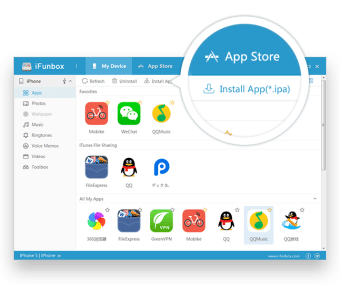
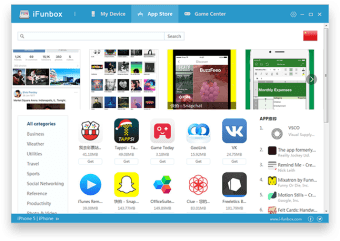
iFunBox is a freeware application that acts as a file browser and manager for iOS devices connected to Windows PC. Developed by the iFunBox Team, it allows users to bypass the rigid structure of iTunes and can act as a simplified media browser. It provides users with a range of features including file transfer, app management, and device exploration, with a user-friendly interface that helps users easily navigate through their device's files and folders, facilitating a seamless experience in managing content.
Top Recommended Alternative

Navigate file systems with sandbox limitations
The primary function of iFunBox is to provide a Windows Explorer-style view of an iOS device. It acts as a primary tool for the jailbreak community, as it allows users to modify system themes and access the root file system. Additionally, it acts as a high-speed media transfer tool for standard users and a deep-level file explorer for those using legacy or jailbroken hardware. Since it bypasses traditional syncing, it essentially treats a connected iOS device like a removable USB flash drive.
Security considerations and connectivity
Using iFunBox requires a physical USB connection and the presence of official Apple mobile drivers on the Windows PC. If an unencrypted legacy Wi-Fi mode is enabled, it could potentially allow unauthorized file browsing by others on the same network. Additionally, because the software requires deep hardware communication to function, some antivirus programs may flag it as a high-level threat. It is important to note that the software cannot access the data folders of most modern applications due to Apple’s strict sandboxing rules.
A legacy tool in a modern landscape
iFunBox stands as a bridge between the flexible past of iOS and its highly secured present. For users of legacy hardware or those in the jailbreak community, it remains an indispensable asset for deep-level file manipulation and system customization. Overall, it is a practical choice for technical users who need a lightweight, no-frills file browser, provided they remain mindful of its security quirks and the hardware-specific limitations of contemporary iOS versions.